Request VPS configuration or troubleshooting help
Describe the software, goal and failure so support can confirm the right work and scope.
Applies toFor VPS technical support. Contact customer service about application customisation, third-party software and additional development. Our development team also provides custom business websites and product features.
On this page
Before you start
- Prepare the VPS reference, OS and software versions. Separate a remote-connection issue from an application failure.
- Describe the expected result and prior attempts, including important data and permitted changes.
Follow these steps
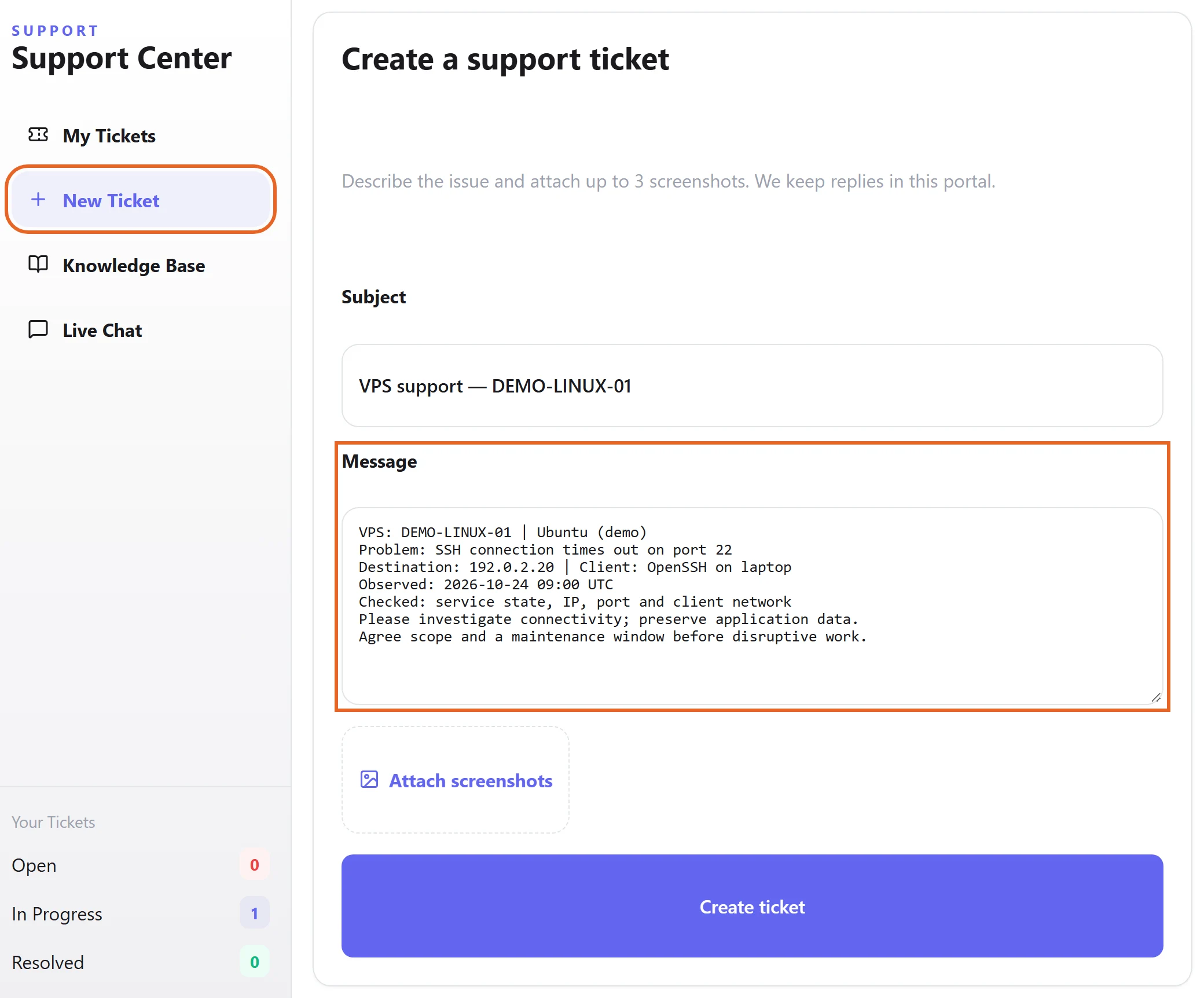
- Create a ticket in customer-centre Support or use live chat for immediate discussion.
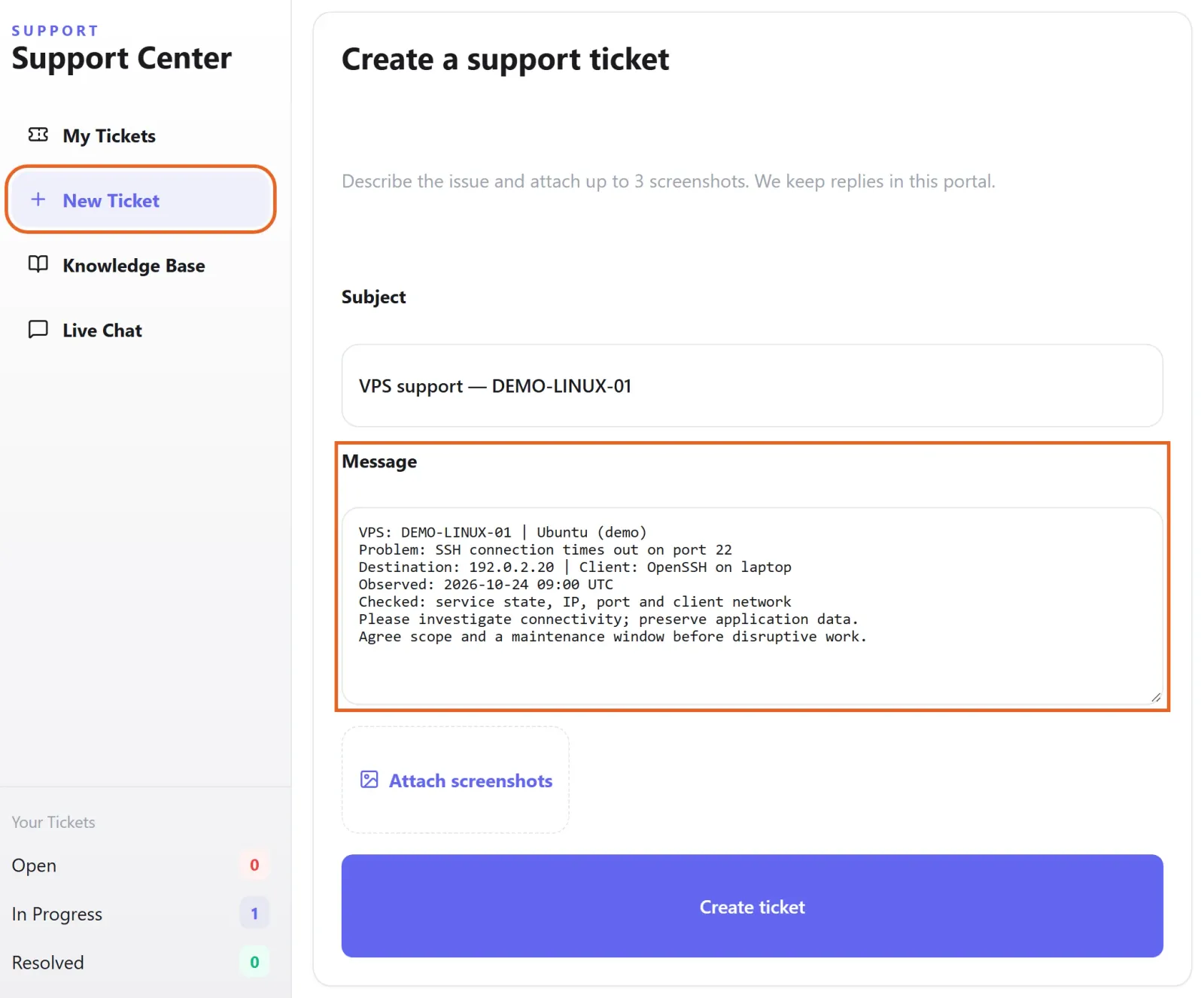
Figure 1: In Support → New Ticket, identify the VPS and OS, describe the symptom and test time, and state which changes need agreement. This is an unsent draft with fictional demo data. View full-size image - Include the objective, symptom, time and redacted logs. For phone or network-access help, identify the device and connection method.
- For application customisation, third-party software or extra development, contact customer service to agree objectives, scope, costs and delivery with the development team. Confirm a maintenance window for disruptive work.
Check the result
- Verify the agreed result from the device used in practice and check application and data behaviour. Keep follow-up observations in the same ticket.
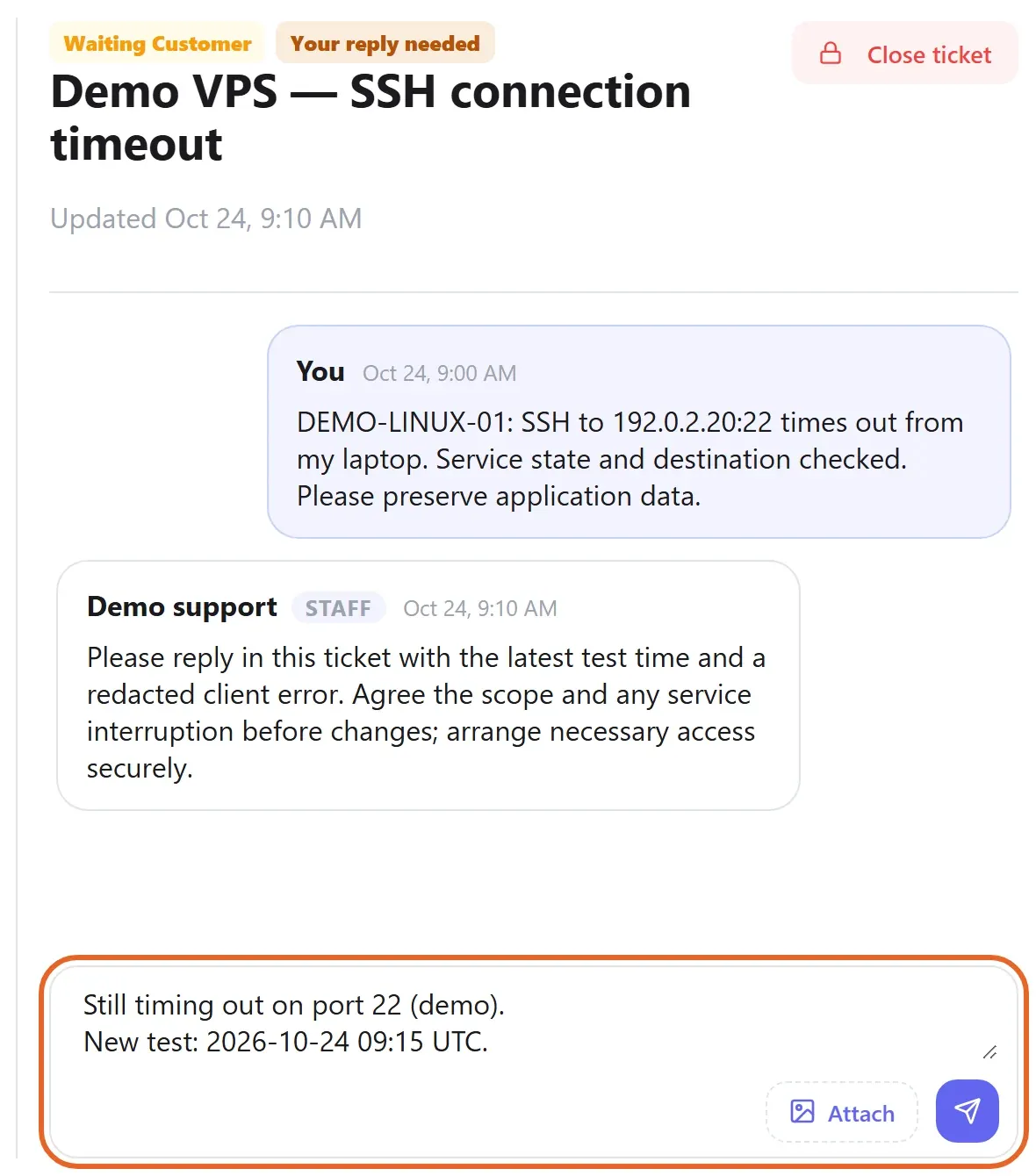
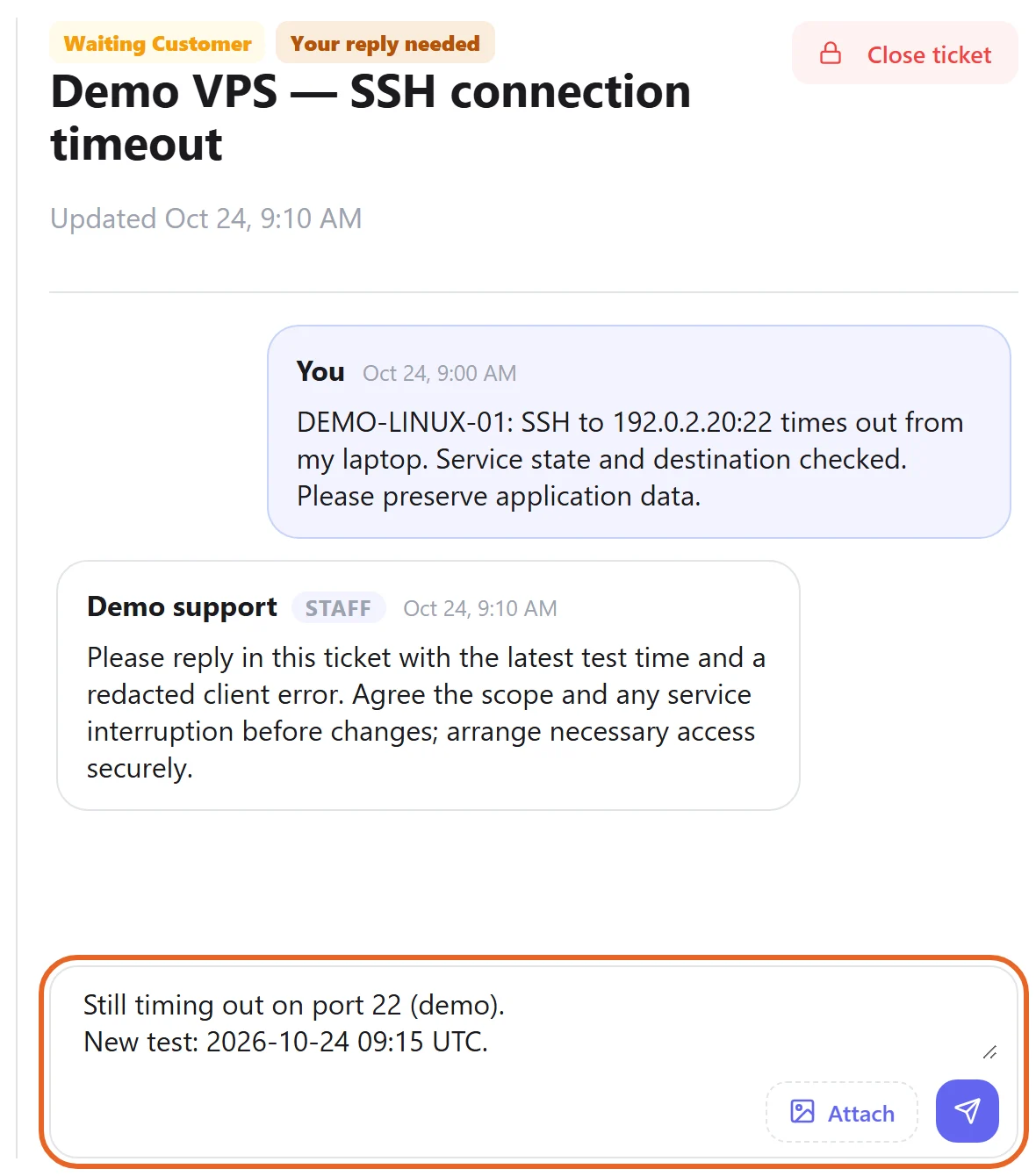
Figure 2: Keep validation results and follow-up observations in the original ticket. If the problem persists, include a fresh timestamp and redacted error. Example conversation and unsent reply shown; demo data only. View full-size image
If something goes wrong
- Do not put administrator passwords, keys or full business data in public screenshots or ordinary ticket text. Arrange necessary access through a method agreed with support.
- If the issue persists, provide reproduction steps and fresh timestamps instead of opening several duplicate tickets.