Upload website files to the correct directory
Separate source code, build output and the live site directory before uploading.
Applies toFor the hosting file manager. Server-built projects can also use GitHub deployments.
On this page
Before you start
- Identify the target site and back up anything you will overwrite. Prepare build output for static projects and verify runtime support for server applications.
- Inspect the archive structure so an extra enclosing folder does not move the entry file outside the intended root.
Follow these steps
- After activating shared hosting, find its website in NewCP and choose Manage → Files. Confirm the directory belongs to that website.
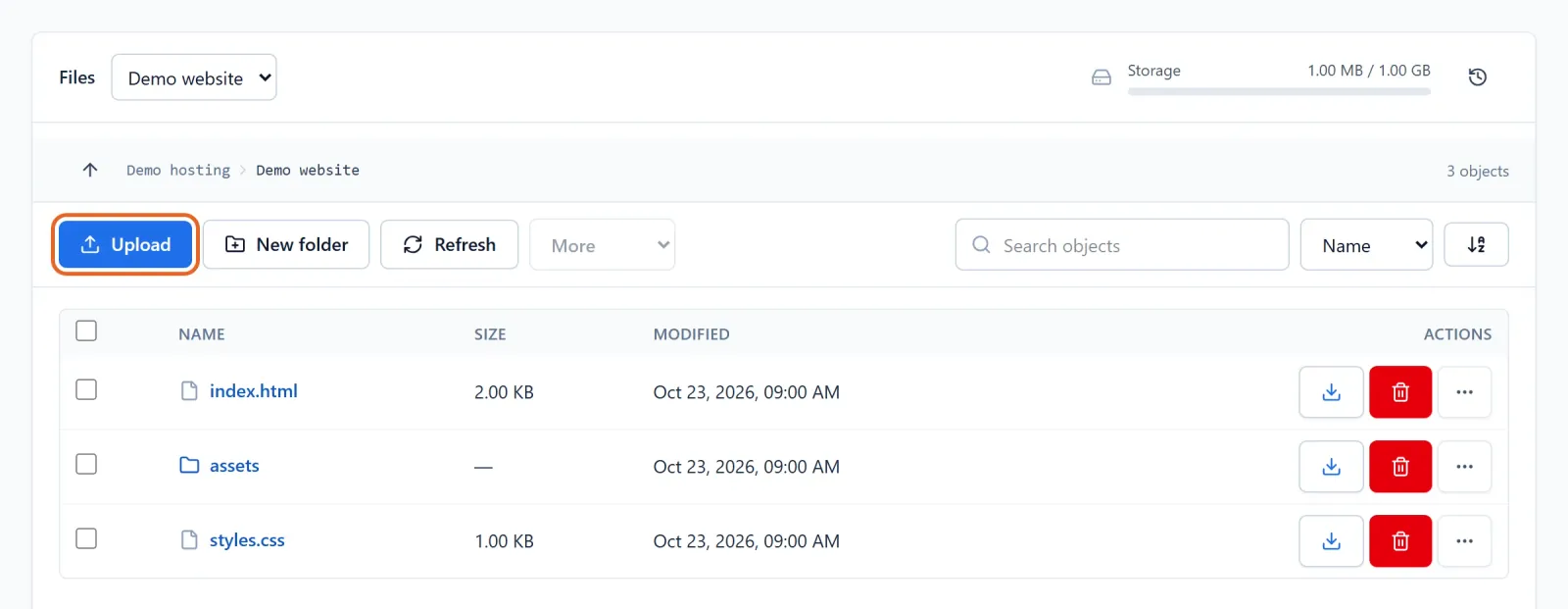
Figure 1: Verify the selected website and folder before using Upload. index.html and its assets are example release files; no live files changed. View full-size image - Select Upload and choose your release files. For folders, prepare a ZIP. When uploading a ZIP, use the offered keep-or-extract option and review the destination and replacement prompts.
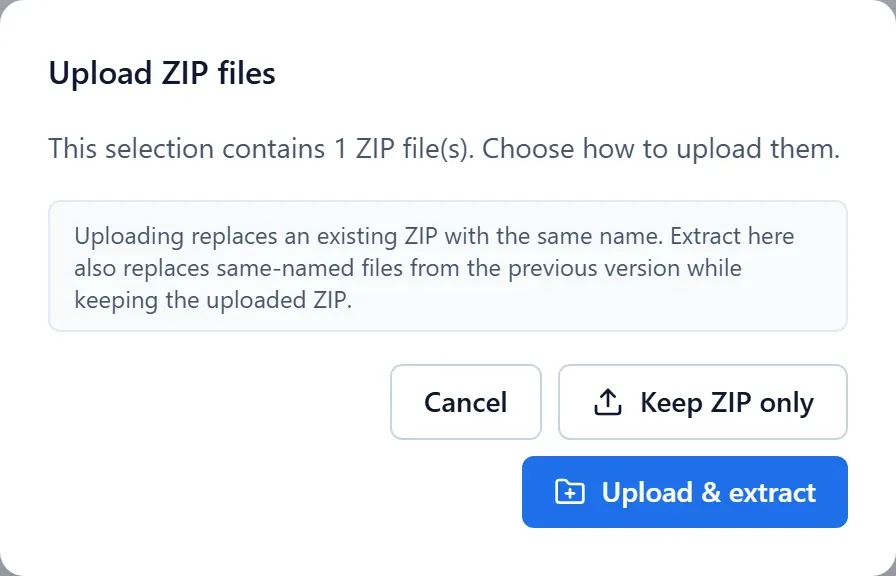
Figure 2: Review the ZIP keep-or-extract choice and destination before continuing. Demo archive selection; no upload or extraction performed. View full-size image - Keep the entry point and assets in the locations your project expects. Do not expose environment files, backup archives or credentials in a publicly downloadable directory.
Check the result
- Open the public entry URL, one asset and an internal page. A successful upload alone is not a successful deployment.
If something goes wrong
- For a default page or 404, check the domain-to-site mapping, directory, entry file and filename case.
- For quota errors, review files and database usage rather than uploading another archive. After accidental replacement, stop further writes and ask support about recovery options.