What does shared hosting include? Meet the NewCP resource panel
Understand the convenient resource tools and the path from purchase to using your hosting.
Applies toShared hosting provides the NewCP resource panel for website and resource management. It is a different product from a VPS with its own operating-system administration.
On this page
Before you start
- Identify the website, database, domain mailbox and deployment functions your project needs.
- Review website-count, storage and other allowances in the current plan before purchase.
Follow these steps
- After purchasing and provisioning shared hosting, enter the appropriate NewCP resource panel from the customer centre.
- Use the website, file, FTP, database, mail, certificate, CDN and deployment tools for your tasks. Contextual help links open the relevant instructions.
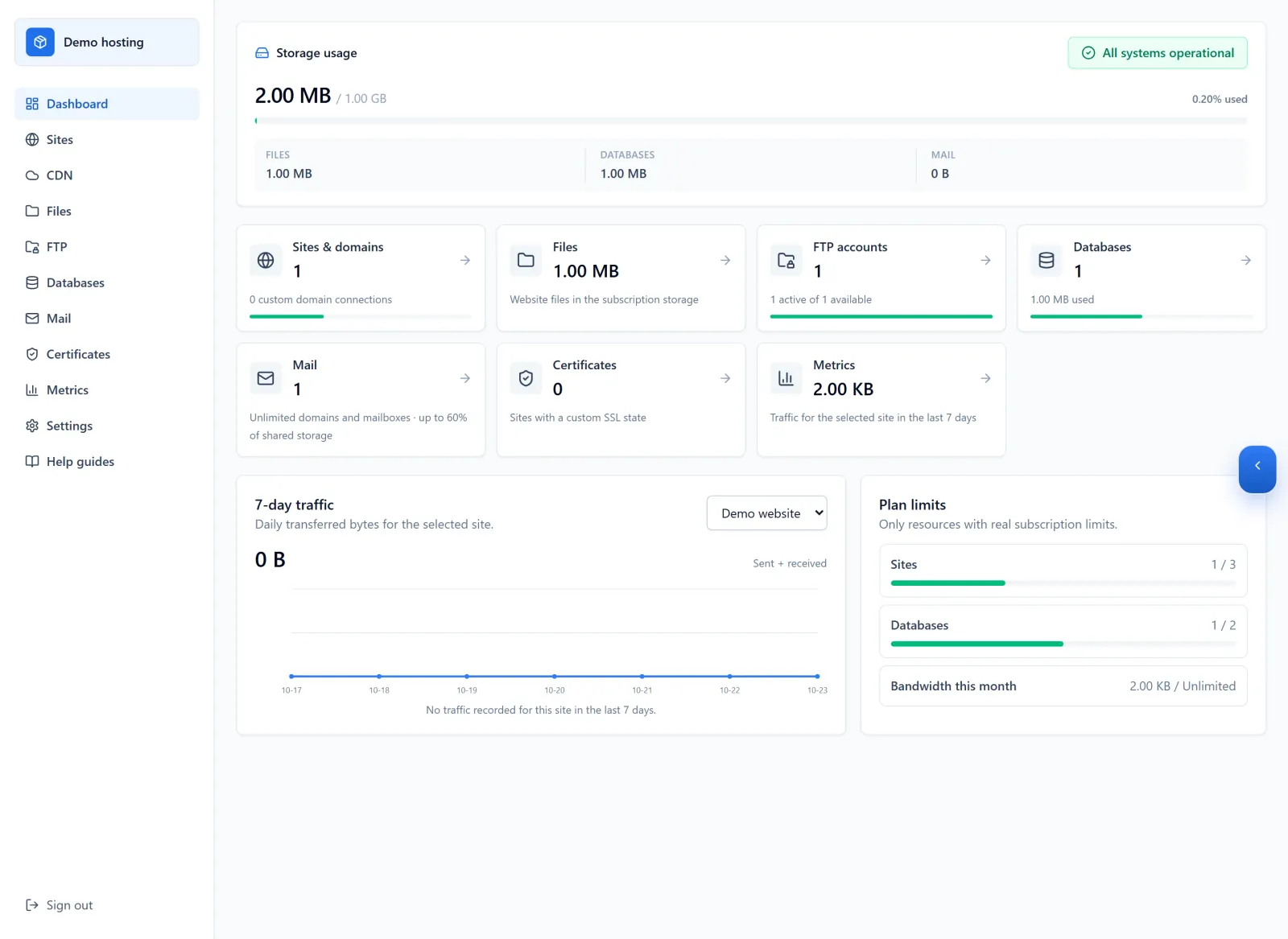
Figure 1: NewCP brings resource tools into one subscription workspace. The dashboard shows the package, usage and feature entry points. All figures and status indicators are demo data. View full-size image - Choose MSSQL, MySQL or PostgreSQL when creating a database according to the application requirements. Request backups and migration through a support ticket.
Check the result
- Verify the package, websites and usage, then check the deployed website, database connection and any mail functions you need.
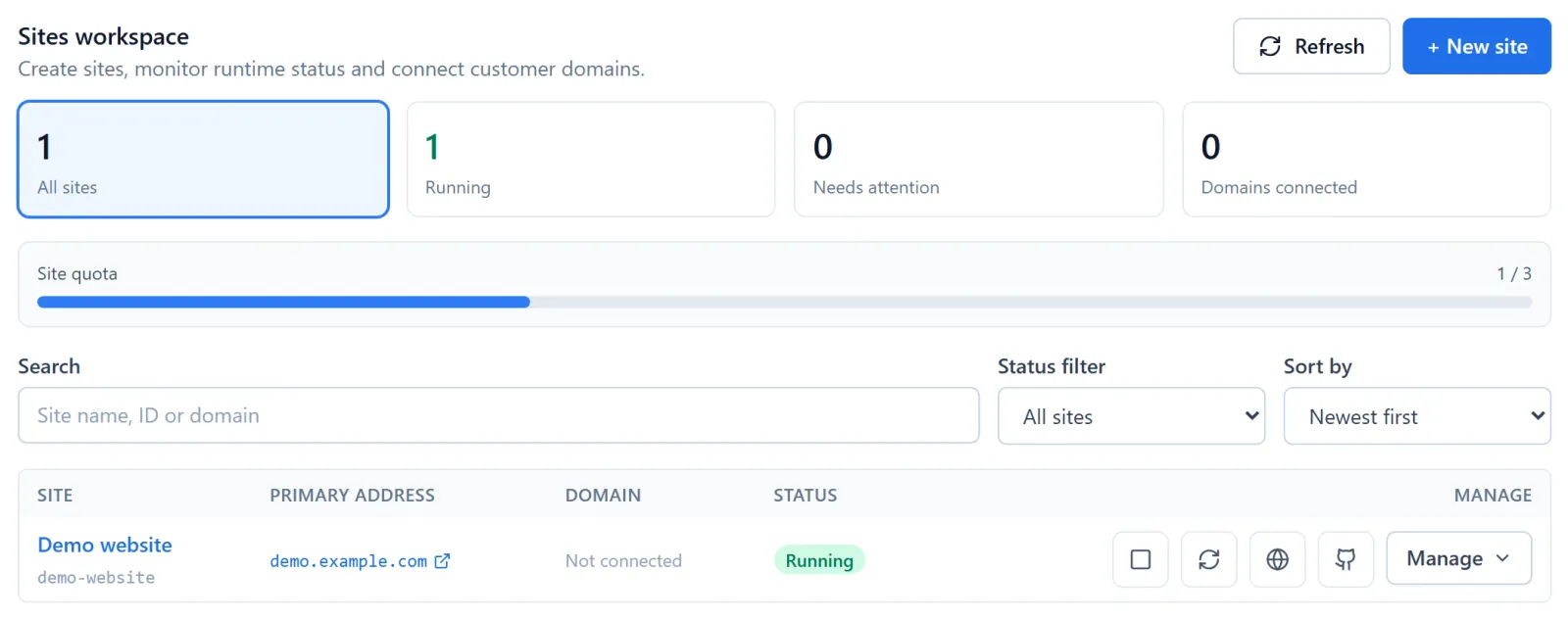
Figure 2: In Sites, check the intended website, its status and access address. Demo quota and website shown. View full-size image
If something goes wrong
- If you need full operating-system administration or a special software environment, ask customer service to confirm whether shared hosting, a VPS or a dedicated server is appropriate.
- Do not copy a workflow from another product just because a feature has the same name. Share the package and current screen if you cannot find the right action.