请求 VPS 配置与故障协助
说明你的软件、目标和故障,让技术支持确认处理路径与工作范围。
适用范围适用于 VPS 技术支持。应用定制、第三方软件及额外开发需求,可以联系客服了解;我们的开发团队可提供官网定制与产品功能开发。
本页目录
开始前准备
- 准备 VPS 服务编号、操作系统、软件名称与版本。区分无法连接服务器和应用本身运行失败。
- 列出期望结果与已经尝试的操作;有重要数据时先说明备份和允许变更的范围。
操作步骤
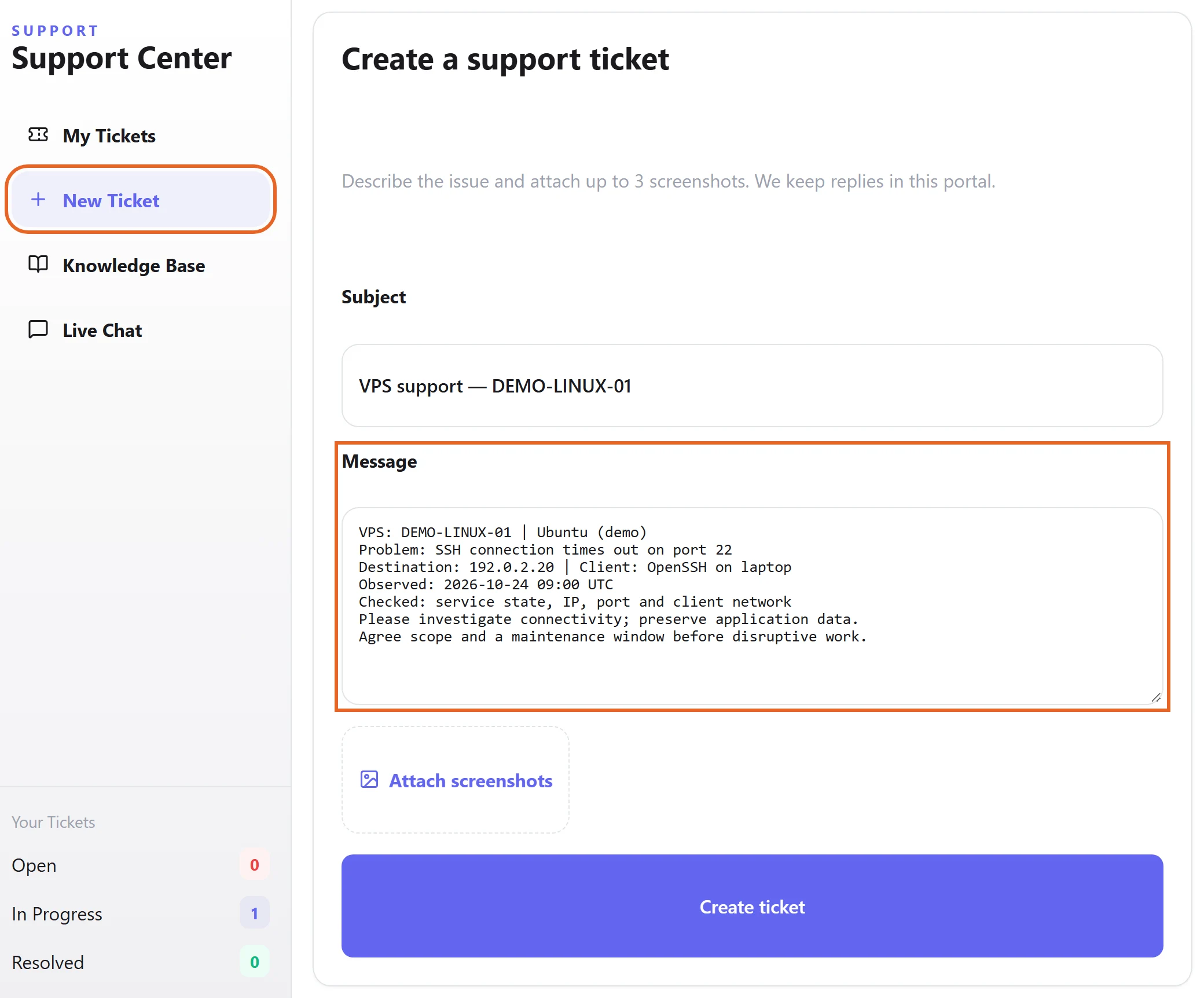
- 登录客户中心的技术支持,创建工单;即时沟通可以使用在线聊天。
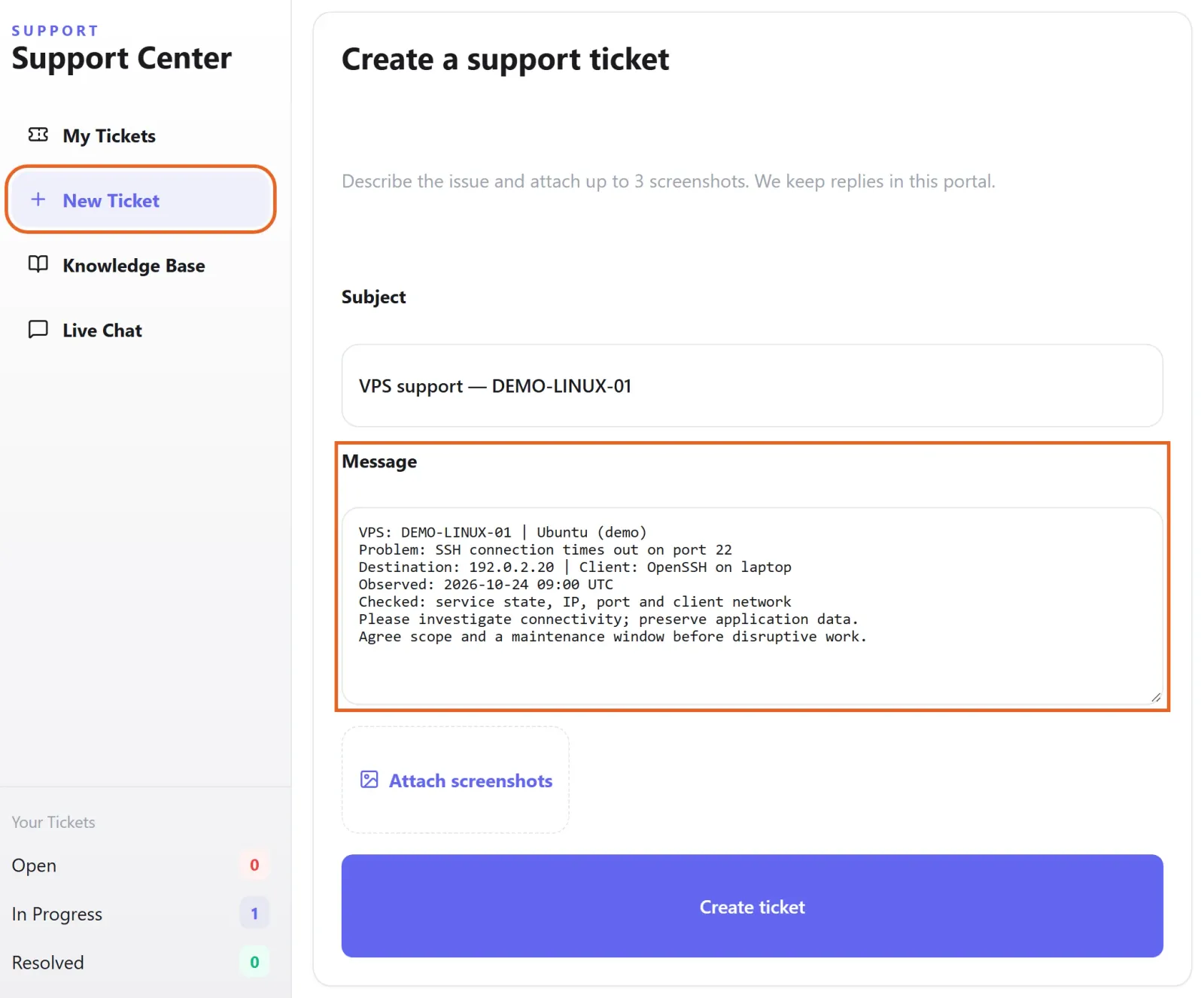
Figure 1: In Support → New Ticket, identify the VPS and OS, describe the symptom and test time, and state which changes need agreement. This is an unsent draft with fictional demo data. 查看原图 - 提交目标、当前现象、出现时间和脱敏日志。需要手机或网络连接协助时说明设备和连接方式。
- 应用定制、第三方软件或额外开发需求可联系客服,由开发团队对接具体目标、方案、费用和交付安排;涉及停机的操作先确认执行窗口。
确认完成
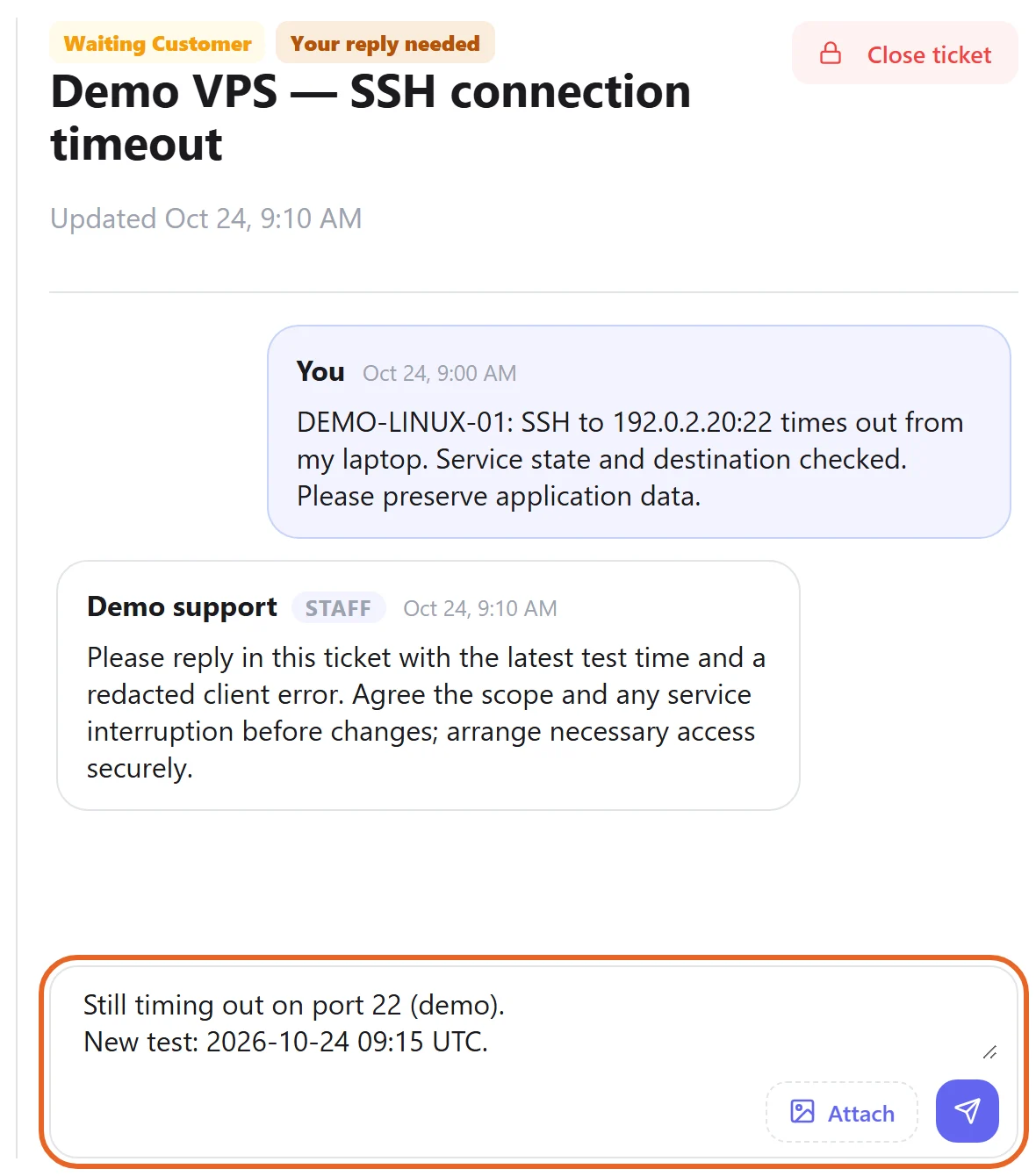
- 根据约定从客户实际使用的设备验证结果,检查应用与数据正常;在原工单内补充后续现象。
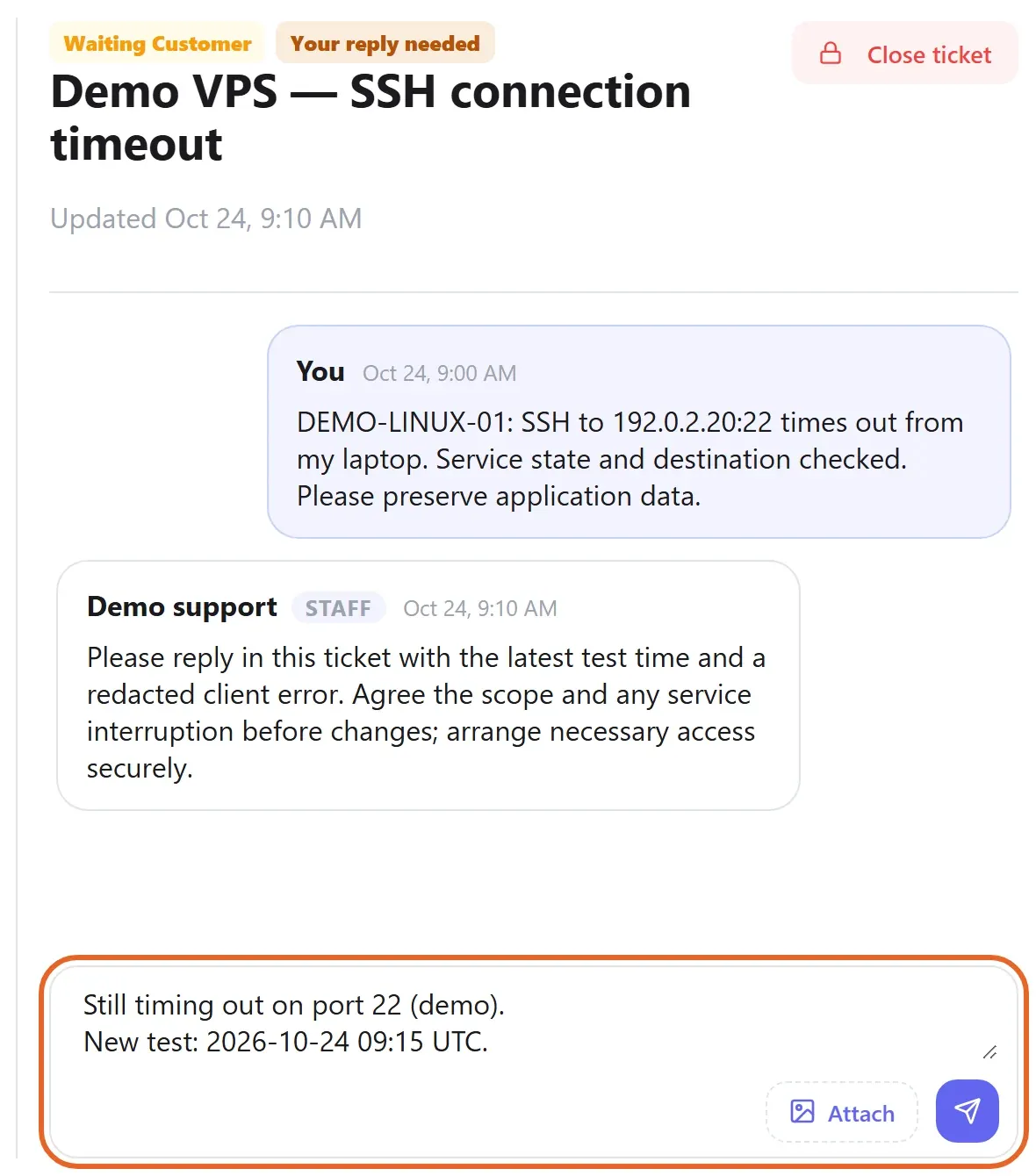
Figure 2: Keep validation results and follow-up observations in the original ticket. If the problem persists, include a fresh timestamp and redacted error. Example conversation and unsent reply shown; demo data only. 查看原图
遇到问题时
- 不要将管理员密码、密钥或完整业务数据直接放入公开截图或普通工单正文,按支持确认的安全方式提供必要访问。
- 问题仍存在时提供复现步骤与最新时间,避免另开多个重复工单导致信息分散。